
How it works
From installation to your first reviewed reply.
Six steps. The only one that needs a little care is the AI key: you create it with the provider and enter it in the app, never on this website.
Install it on your Mac
Open the disk image, drag Kantike into the Applications folder, then launch it. You need macOS 14 or later, on Apple silicon and Intel Macs.
Allow access to Apple Mail
On first launch, macOS asks whether Kantike may control Mail. This permission is used to read the folder you choose and to create drafts. You can revoke it at any time in System Settings.
Set up your own AI key
Kantike uses your account with Anthropic or OpenAI. An assistant shows you where to create the key and how to set a spending limit. The key is stored in your Mac’s Keychain.
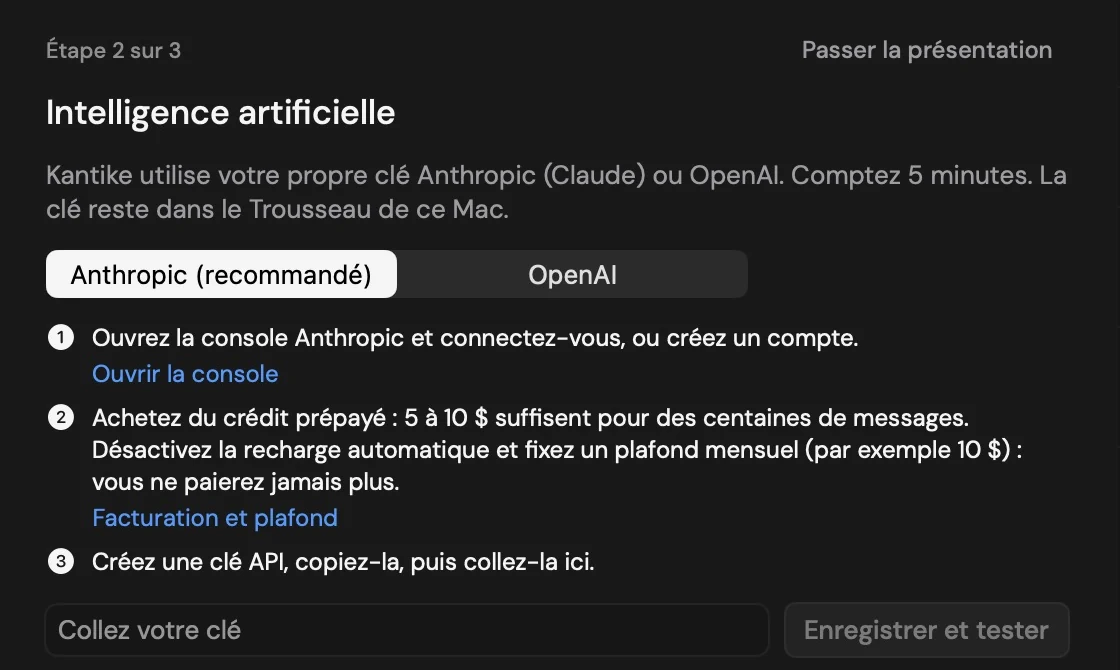
Setup assistant, with no key entered. Choose a folder
You select the account, the folder and the number of messages to read. Reading is local: at this stage, nothing is sent to an AI and nothing is changed in Mail.
Messages from a demo folder. Request the analysis
You click “Analyse”. Kantike shows the number of messages involved, the provider and the data that will be sent, then waits for your consent. An analysis that has already been done is kept, encrypted, on your Mac: it is not run again.
Result of a demo analysis. Review a reply
Kantike suggests a text. You edit it, you approve it: it becomes a draft in Apple Mail. You send it from Mail whenever you decide.
Review of a demo reply.
Consumer subscription or API key: not the same thing
A ChatGPT or Claude subscription gives you access to the chat app. As a rule, it does not include the key-based access that Kantike needs.
For Kantike, you need to open a developer account with Anthropic or OpenAI, add a payment method or prepaid credit, then create a key. This account is billed on usage, by the provider, independently of Kantike and of any consumer subscription.
You stay in control of spending: the provider lets you set a limit, and Kantike itself caps the number of messages analysed per day.
Compatibility
- System: macOS 14 or later.
- Mac: Apple silicon and Intel Macs.
- Email: Apple Mail, set up with at least one account.
- Language: the interface is in French. An English version exists; it has not been reviewed yet.